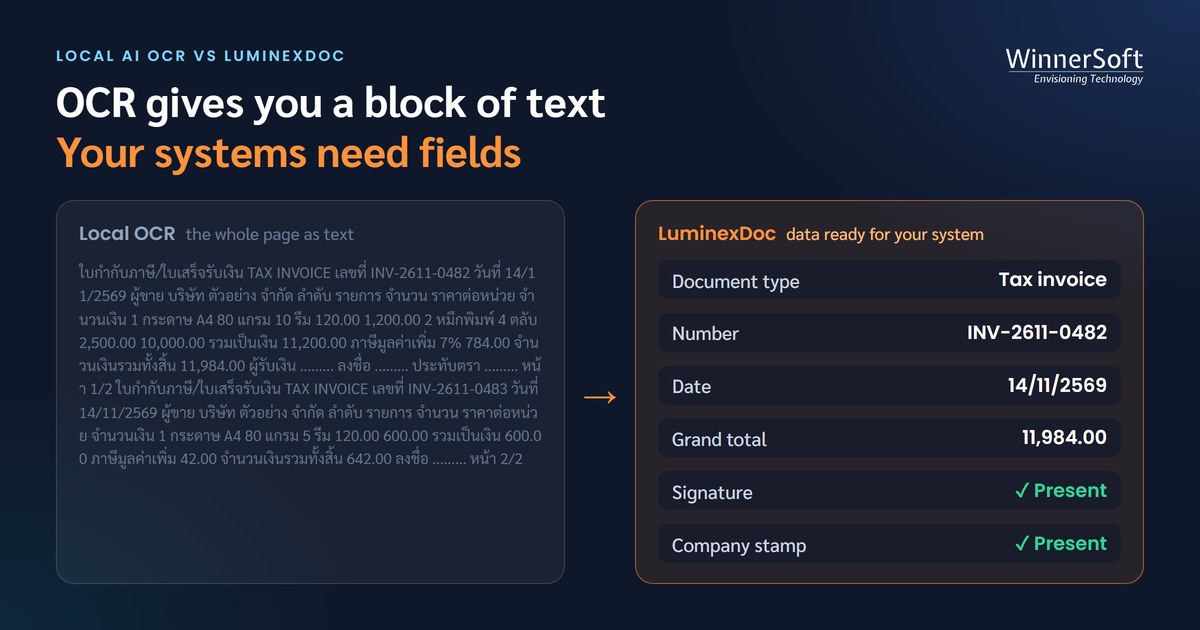
Plenty of IT teams have tried this. Drop two invoice PDFs into a Gemini chat, ask it to "pull the number, date and total as JSON", and in under a minute you have an answer you could actually use.
The next question in the meeting always follows — if AI can do that, why not build our own AI agent to read documents, and skip buying a system?
The short answer is that you can, and the model is the same one LuminexDoc uses. But the demo shows a small part of the work that has to happen every day. This article lays out what the rest is, and what each part costs.
The demo takes five minutes. The real job is the whole system
In a demo, someone uploads one file at a time, reads the answer and decides whether it is right. In production nobody sits there giving instructions. Hundreds of pages arrive on their own every day, the data has to be correct before it reaches accounting or the ERP, and someone has to be able to say where every file is.
Follow one document from arrival to the destination system and the steps look roughly like this:
- Intake — from a hot folder, email or API
- Preparation — convert scans and images, rotate upside-down pages
- Splitting — one file may hold several documents of different types
- Page-by-page OCR — the AI's job
- Field extraction to a defined schema — the AI's job
- Validation — do several AIs agree, does the total match the line items
- Human review — only for documents or fields that fail
- Export — into the ERP, K2, SQL Server or Excel
- Tracking — status of every file, and the AI cost
An AI agent is very good at two of these steps, OCR and extraction. The other seven are software that your IT team has to write, test and maintain. A better prompt will not produce them.
The AI is not expensive. The system around it is
Calling the Gemini API yourself, the AI cost per page is low. gemini-3.8-flash is priced at 0.75 dollars per million input tokens and 3.75 dollars per million output tokens. Reports say this is an introductory price that runs to the end of 2026 and doubles from 1 January 2027, so check Google's pricing page before you set a budget.
How many tokens a page uses depends on how many fields you extract and how long the tables are, and the way a system handles tokens can change the cost several times over. A well-built system runs OCR once and reuses the result, caches results by file content so the same file is never read twice, and shares one prompt across a batch. A typical AI agent resends the whole chat history every time it thinks or calls a tool, so the more files you put through one session, the more each file costs.
What does not appear on the AI bill is the people who write and run the system, the servers, the storage and the backups — which in practice usually cost several times more than the AI itself.
Can a monthly Gemini plan do the job instead?
This comes up often, because Google AI Pro costs 750 baht per person per month in Thailand, far less than building a system. But Gemini comes in two very different forms.
| Gemini app (Google AI Pro / Ultra) | Gemini API, self-built | LuminexDoc (uses the Gemini API) | |
|---|---|---|---|
| Billing | Monthly, per person | By tokens used | By tokens plus licence |
| Limits | Quota resets every 5 hours, with a weekly cap | The project's rate limit | A queue keeps it under the rate limit |
| Callable from software | No — someone has to type in the chat | Yes | Yes |
| Runs with nobody there | No | You write the scheduler | The hot folder runs itself |
| Who runs it | Each user | Your IT team, all of it | WinnerSoft |
Since May 2026 Google has measured Gemini app quotas by compute rather than a fixed number of messages or tokens. Pro gets four times the free allowance, and Google says the limits can change with capacity. For work accounts, Google Workspace's help page says Business Standard and Plus allow about 300 Thinking prompts per person per day, resetting at midnight Pacific time — 3 p.m. in Thailand.
But people become the bottleneck before the quota does. Every prompt needs someone to upload, wait and copy the result into a system — one to two minutes each. Three hundred prompts is a full day's work for one person. Putting several pages into one prompt gets more pages through per day, but long answers risk being cut off, and the AI skips rows and fields more easily.
A monthly plan suits someone reading a few documents at a time. Once volume forces you to automate, you are on the pay-per-token API anyway.
Real files never look like the demo file
Demo files tend to be clean PDFs, one document per file. Here is what turns up in real customer work.
| File characteristic | What happens if you build it yourself | LuminexDoc |
|---|---|---|
| Scanned PDFs with no text layer; JPG / PNG / TIFF images | You convert every page to an image yourself | Accepts all of them |
| One file holding several documents — tax invoice, receipt, delivery note | The AI merges them into one or splits them wrongly | Splits by document type |
| Large files of dozens of pages | Time-outs or incomplete answers | Handles documents of several hundred pages |
| Upside-down or skewed pages | Misread or unreadable | Rotates pages automatically |
| Line-item tables running across pages | Rows lost or duplicated at page breaks | Joins the line items |
| Punch holes or rubber stamps over the date | The date is misread | Handled in the product |
| Thai file names | Some PDF conversion tools crash | Handled |
| The same file sent again | You pay for the AI twice and get duplicate data | Recognises the content and skips it |
Problems a self-built system will run into
We hit every one of these while putting LuminexDoc into customer use, and each is fixed in the product. A team building its own system is likely to meet the same ones.
- Sending a large file in one go makes some models time out — fixed by OCR page by page and choosing a more robust model
- Invoices on the same template receive each other's OCR results — the cache matched the wrong file; it must key on the file's actual content, not its appearance
- The AI sometimes answers in bullet points instead of JSON — documents get over-split or nothing is extracted; enforce the response format and check for empty results
- Recorded AI cost is lower than the real bill — Gemini charges its thinking tokens as output
- A hot folder picked up the same file 30 times — two processes were watching the same folder
- Reprocessing made documents disappear — old results were deleted before the new read, then the job stopped halfway; replace one file at a time with no gap
On top of that, once the system is yours, IT gets asked every day where a file is, why it is stuck, who changed which value before it went out, whether it has been exported, what the AI cost this month and why the AI answered the way it did. Every one of those questions needs a system that recorded the answer.
AI can be wrong in ways that look right
Gemini is very accurate, but not every time, and when it is wrong it is convincingly wrong. During OCR testing we saw Gemini add a word to a product name that was not in the document. Worse is a tax ID or an amount off by one digit that goes into the accounting system without anyone noticing.
A single AI agent does not know it is wrong. Build it yourself and you have to write the checking rules and a review screen, or someone ends up comparing every document by hand — which puts the work back on people.
LuminexDoc has AI from three providers read the same document. Fields they agree on go through; fields they disagree on go to a review queue where a person checks only those fields, with a box on the image showing where each value sits on the page.
The problem is not that AI is sometimes wrong. It is knowing which document it was wrong on.
Which one should you choose?
An AI agent or the Gemini app is enough if your work looks like this:
- A few dozen documents a month
- Occasional work that one person can handle
- No need to send the data to another system, or copying it by hand is fine
- An occasional mistake does no harm, because someone reads every document anyway
A system like LuminexDoc makes sense if your work looks like this:
- Hundreds to tens of thousands of pages a month
- Files arrive by themselves every day, with nobody giving instructions
- Data has to go into the ERP, K2 or SQL Server
- You need an audit trail, user permissions and a cost per document
You don't have to choose between Gemini and LuminexDoc
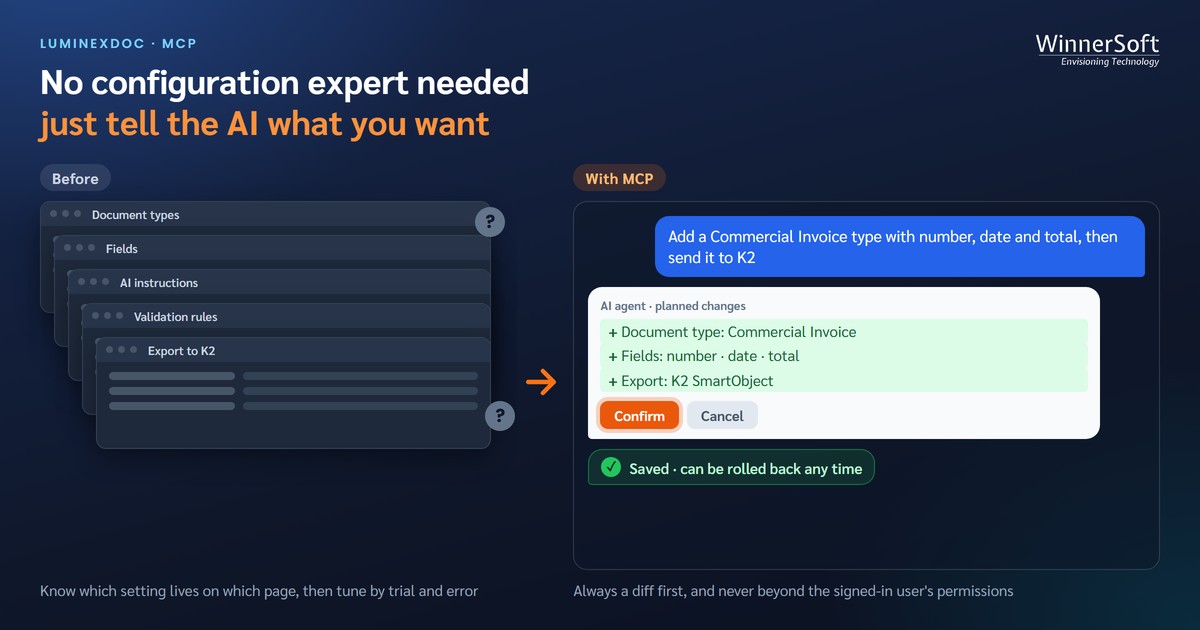
LuminexDoc already uses Gemini as one of its AI providers, and it has an MCP server your own AI agent can connect to — to ask about a batch, search documents or look at extraction results. You keep using the AI you like, without building and running the system around it yourself.
If your team is weighing building it yourself against an off-the-shelf system, send us samples of your real documents to test, and compare the results on both accuracy and cost.